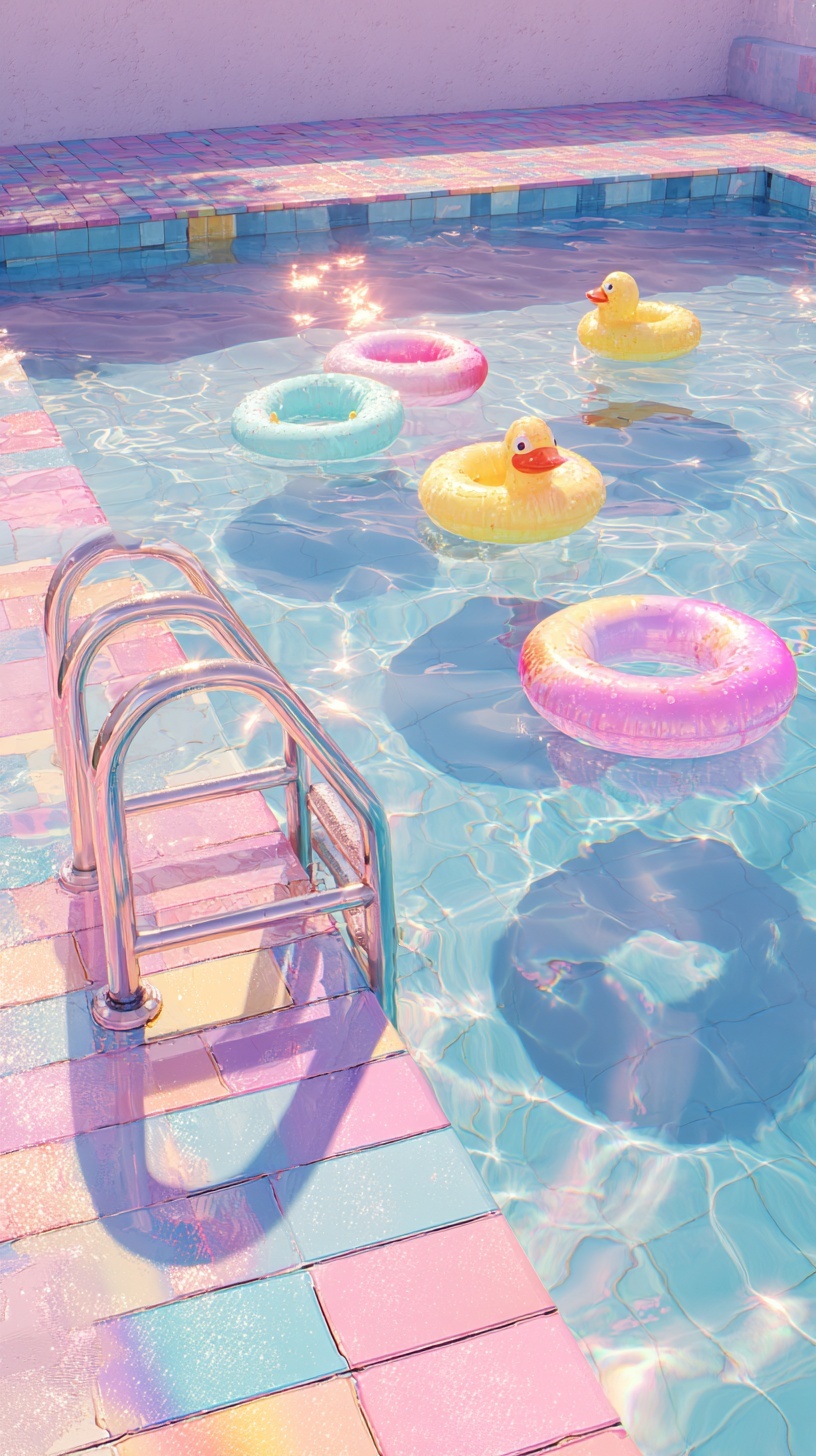
Iridescent swimming pool scene, pink-blue gradient ceramic mosaic tiles with pearlescent glaze, chrome pool ladder casting caustic light patterns through crystal-clear water, floating translucent inflatable rings in lemon yellow and cotton candy pink with subtle air valve details, two rubber ducks with realistic orange beaks and eye gloss, water surface with sharp caustic reflections and chromatic dispersion, 5800K direct sunlight from 45-degree angle creating defined shadows, shallow depth 0.8m visible through water clarity, vaporwave color grading with lifted shadows and compressed highlights, holographic wet surface shimmer on tile edges, 1980s Miami hotel pool nostalgia, photorealistic water physics, 8K detail --ar 9:16 --style raw --v 6.0
Quick Tip: Click the prompt box above to select it, then press Ctrl+C (Cmd+C on Mac) to copy. Paste directly into Midjourney, DALL-E, or Stable Diffusion and customize to make it your own!
The dreamy pastel pool aesthetic is not a color filter; it is a precise simulation of light refraction through liquid and its subsequent projection onto high-gloss ceramic surfaces. To replicate this look, the prompt must prioritize the physics of caustic reflection over simple hue selection. When the AI understands that the water acts as a lens and the tiles act as a mirror, the resulting image gains a three-dimensional quality that flat color grading cannot achieve. This principle applies to any prompt where water and light intersect.
The Problem: Flat Water and Muddy Tiles
Most generated images fail to capture this aesthetic because the prompt treats water as a transparent overlay rather than a refractive medium. When a model interprets "water" without specific light instructions, it renders a flat, blue wash that obscures the pool floor. This results in a loss of the mosaic pattern and a lack of visual depth. The scene becomes a generic blue rectangle instead of a vibrant, sun-drenched environment. Without defined caustic patterns, the interaction between the water surface and the pool bottom is lost entirely.
Furthermore, the tiles often appear muddy or desaturated. This happens because the AI defaults to a global color temperature rather than respecting the localized bounce light from the water. If the prompt does not explicitly mention the glaze or the reflection, the model treats the tiles as matte stone. The result is a lack of that signature "wet" look that defines the 1980s Miami hotel pool nostalgia. The image feels dry and lifeless, missing the essential sparkle that makes the aesthetic pop on social media feeds.
Another common issue is the lack of chromatic dispersion. In real life, water edges split white sunlight into subtle rainbow fringes. Without this detail, the pool looks artificial. The AI needs to know that the light is not just bouncing; it is bending. This bending creates the holographic shimmer that is crucial for the vaporwave aesthetic. If the prompt omits "chromatic dispersion" or "prismatic refraction," the water surface remains a solid color, failing to capture the iridescent quality that makes the scene visually engaging.
Root Cause: How the Model Interprets "Water"
The root cause lies in how the model categorizes the word "water." Without context, the AI interprets water as a solid object with a blue texture, similar to blue plastic. It does not automatically understand that water is a volumetric medium that distorts the background. To fix this, the prompt must explain the mechanism of the water. By specifying "shallow depth 0.8m visible through water clarity," the model is forced to render the pool floor, which adds necessary complexity to the composition.
Additionally, the model struggles with the concept of "caustics" unless it is paired with a light source. The term "caustic" describes the envelope of light rays reflected or refracted by a curved surface. If the prompt does not specify a "5800K direct sunlight from a 45-degree angle," the model has no reference point for how these rays should behave. The angle is critical because it determines the shape and length of the caustic patterns on the tiles. A lower angle creates longer, more dramatic streaks, while a higher angle creates tighter, brighter spots.
Color interaction is another root cause of failure. The prompt must define the relationship between the tiles and the inflatables. If the inflatable rings are described simply as "pink," they may clash with the pink-blue gradient tiles. The prompt needs to specify "translucent inflatable rings" to allow the background colors to bleed through. This transparency creates a unified color palette where the objects and the environment share a visual language. This is a core technique also used in organic product photography, where material transparency dictates how the subject integrates with the background.
The Fix: Engineering Caustics and Glaze
The primary fix is to explicitly define the surface properties of the tiles. "Pink-blue gradient ceramic mosaic tiles with pearlescent glaze" tells the model to render a glossy, reflective surface. The word "pearlescent" is key; it implies a subtle, multi-color shimmer that reacts to the light angle. This is different from a "glossy" finish, which is just a single specular highlight. Pearlescent glaze scatters the light in multiple directions, mimicking the effect of the wet tiles in the reference image.
Next, the prompt must address the water surface physics. "Water surface with sharp caustic reflections and chromatic dispersion" is a technical instruction. It tells the AI to render the water as a lens. To verify this is working, look for the bright, wavy lines of light on the pool floor. In the reference image, these lines are not uniform; they are broken and fractured. This is a sign of "sharp caustic reflections." If your generated image has smooth, unbroken light patches, the prompt needs more emphasis on the water's turbulence or the light angle.
For the inflatables, the prompt must include "subtle air valve details" and "realistic orange beaks" for the ducks. These small details force the model to render at a higher level of fidelity. When the model focuses on a small, complex object like a duck's beak, it improves the overall texture quality of the scene. This technique is similar to the precision required in hyper-realistic floating food prompts, where specific texture details on a single object elevate the entire composition's realism.
Color grading is the final piece of the fix. "Vaporwave color grading with lifted shadows and compressed highlights" is a post-processing instruction. Lifted shadows mean the dark areas of the image are not pure black; they are filled with purple or blue light. Compressed highlights mean the bright areas are not blown out white; they retain color information. This creates the soft, dreamy look. Without this instruction, the image will have harsh contrast, ruining the pastel aesthetic.
Verification: Checking the Light Path
To verify the fix worked, trace the path of the light in the generated image. Start at the sun source (implied by the shadows) and follow it to the pool ladder. The chrome ladder should cast a defined shadow, but it should also reflect the water's colors. If the ladder is a solid gray, the "chrome" instruction failed. If it has pink and blue reflections, the material interaction is correct. This step-by-step check ensures the AI is respecting the material properties you defined.
Next, check the water clarity at the edges of the pool. The tiles beneath the water should be visible but slightly distorted. If the tiles are perfectly sharp, the water is too clear, appearing like air. If they are too blurry, the water is too deep or turbid. The prompt's "shallow depth 0.8m" should result in a slight softening of the tile edges. This distortion is the visual cue that the water is a physical medium. You can use tools like Midjourney to iterate on these specific parameters until the refraction index feels correct.
Finally, check the color palette against the reference. The image should feature lemon yellow and cotton candy pink without them overpowering the blue. The "compressed highlights" should keep the yellow ducks from turning white. The "lifted shadows" should keep the pool floor from turning black. If the image feels too dark or too bright, adjust the "vaporwave color grading" instruction to be more specific, such as "high-key lighting with pastel saturation."
Next Step: The Sunset Variation
Once the daylight version is stable, try a sunset variation to test the model's handling of dynamic range. Change the light source to "golden hour backlighting" and shift the color grading to "warm magenta and orange sunset hues." The goal is to see if the caustic patterns change from sharp white lines to softer, golden streaks. You should also change the inflatables to "glow-in-the-dark neon green" to test how the model handles emissive materials against a reflective surface.
Expect the shadows to lengthen and the water surface to become more reflective of the sky rather than the tiles. This variation will test if your prompt structure is robust enough to handle a complete lighting shift. If the tiles still look wet and the caustics still bend correctly, your prompt is successfully engineered. You can then use this base structure for other locations, such as a vibrant Art Deco portrait setting, by simply swapping the tile pattern for geometric wallpaper and the pool for a marble floor.
Label: Backgrounds
Key Principle: To achieve a convincing dreamy aesthetic, stop treating color as a global filter. Instead, define specific light interactions like caustics and chromatic dispersion to create physical depth.
Comments
Post a Comment